Arts and Humanities Library
Welcome to the Arts and Humanities Library! On this page you will find information about us and the services we offer.

Main content
The Arts and Humanities Library covers all subjects related to the Faculty of Humanities. If you are looking for information resources within a specific subject, we recommend that you visit our subject pages in the humanities.
Studying in the library
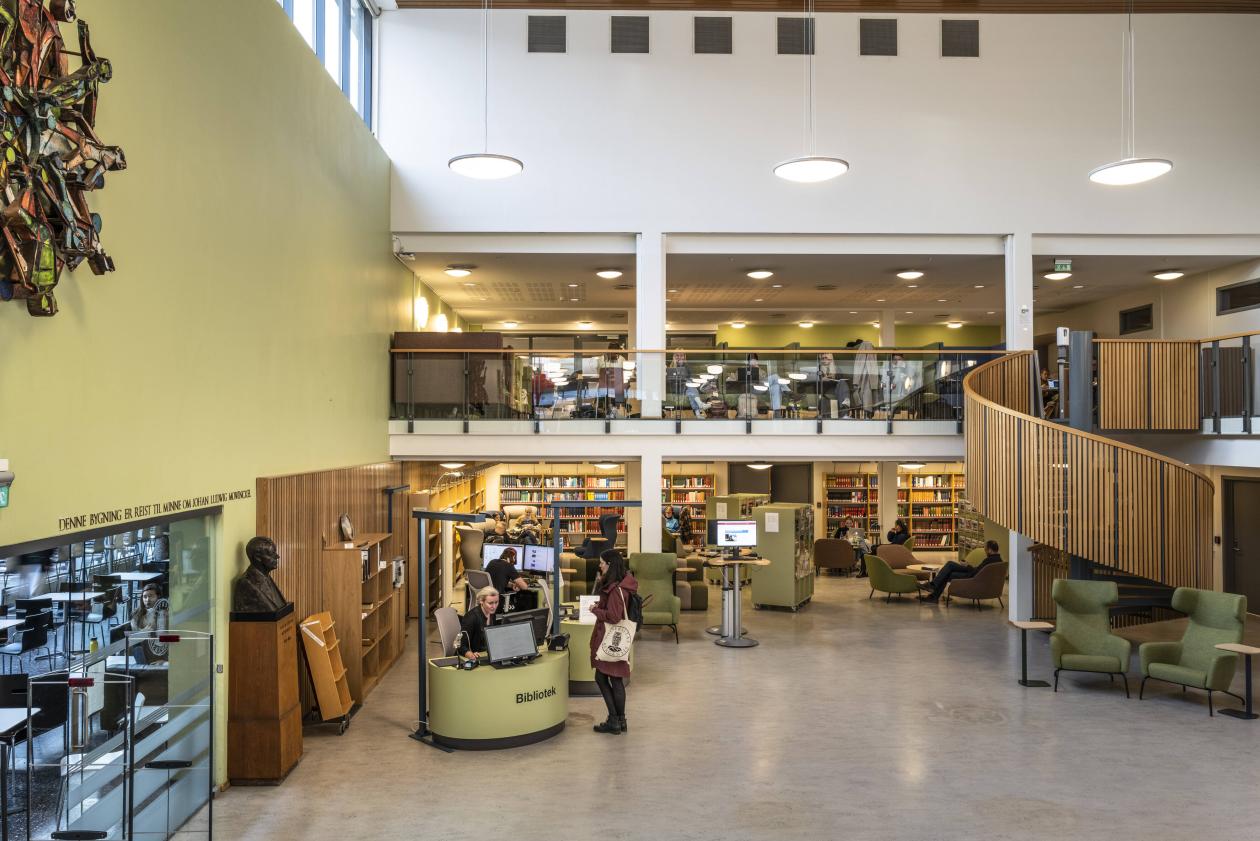
The Humanities Library has many different workplaces, both for working alone and for group work. On the ground and 1st floors you will find a number of desks with partitions, as well as armchairs and sofas. The lower floor is primarily designed for working together, with larger tables and sofa booths. Part of the room is often used for courses and teaching organized by the University Library.
To the left of the ground floor you will find Babelstuen, which invites you to a relaxed atmosphere with armchairs and sofa groups. Events are sometimes held here, such as panel discussions and book launches.
In the book tower, which is the five floors at the back of the building, you will find the library's quiet zone. There are workplaces along the left row of windows on all floors, except on the 1st floor, where some courses and teaching are held at the back of the room.
We have four group pods, two on the ground floor and two on the 1st floor. These can be booked for two hours at a time by filling out the list that hangs on the wall outside the pods.
Find literature
To find out what is available at the library, use the Oria search tool. In Oria you will find printed and electronic books, journals, articles and databases that are available at the University Library of Bergen and/or other Norwegian subject libraries.
In Oria you can also reserve books and renew loans. Read more in the Guide to using Oria. You can find more information about borrowing and requesting on this page.
The Arts and Humanities Library is a large building, with books located over six floors. This overview shows where the different shelving arrangements are located. For more detailed information about where the books in your subject are located, see the subject pages for humanities.
You collect the books you want to borrow yourself, but documents with arrangement Z, Mag, UBBHFINST, Box, Roman numerals - are in closed storage and must be ordered in Oria. To order, you must be logged in with your Feide ID.
You can borrow the books yourself at one of our two lending machines, located to the right as you enter the library. Material you have ordered is on a self-service retrieval shelf between the machines.
Books can be delivered to the hatch on the outside of the building, directly to the left of the main entrance, or to our return machine just under the spiral staircase in the main room.
IT-help - printing and copying
The library has six printers that can be used by students and staff. They are located on the lower floor, on all floors of the book tower except the 3rd (accessible via the elevator or stairs) and in Babelstuen (on the left on the ground floor). As a student, you must top up your printing account in MyPrint. You can find information about this at UiB Help. If you need further help, you can contact the IT department's user support.
Scientific articles
The University Library provides access to over 16,000 academic journals. In this overview you will find all the journals we have access to within the humanities. If you cannot access a desired article, it is possible to order a copy that can be collected from the library within a few days. The order is made in Oria.
The University Library also provides you with access to a number of scientific databases and subject resources, including Web of Science, one of the largest scientific databases. Go to the subject pages to find information about relevant databases within your subject.
Reference management
The library can help with advice on reference tools, e.g. EndNote and Zotero. Contact us for help, or join a course! To find information about the next course, check the calendar.
UiB has a site license agreement for EndNote so that it is possible to download and install EndNote on private computers. You can ask the IT department to install it on your work computer.
Help, guidance and courses
For questions about loans or access, check our help pages or contact us. For scientific or academic questions, the library has subject managers for the various subject areas. Contact information for the subject manager within your subject can be found at the bottom of the subject pages.
Do you need help with using sources or searching for literature? Students and employees at UiB can make an appointment with a librarian for search assistance and guidance.
Open science support
The University Library offers a range of support services and maintains an infrastructure for open publishing and open access to research data. Open courses on open science-related topics are held regularly.
Please contact us if you have any questions!